Roles and permissions
- On this page
- What they control
- Example setups
- Key permission for drivers
- Managing permissions
- Good practices
Roles define what each user can do in EzDIS, to keep the business’s operations consistent.
What they control
- Module access: who can see Stores, Products, Routes, etc.
- Operations: permissions to create orders, edit invoices or record payments.
- Sensitive actions: the ability to declare invoices to DGI or ARCA, change product prices or manage other employees’ routes.
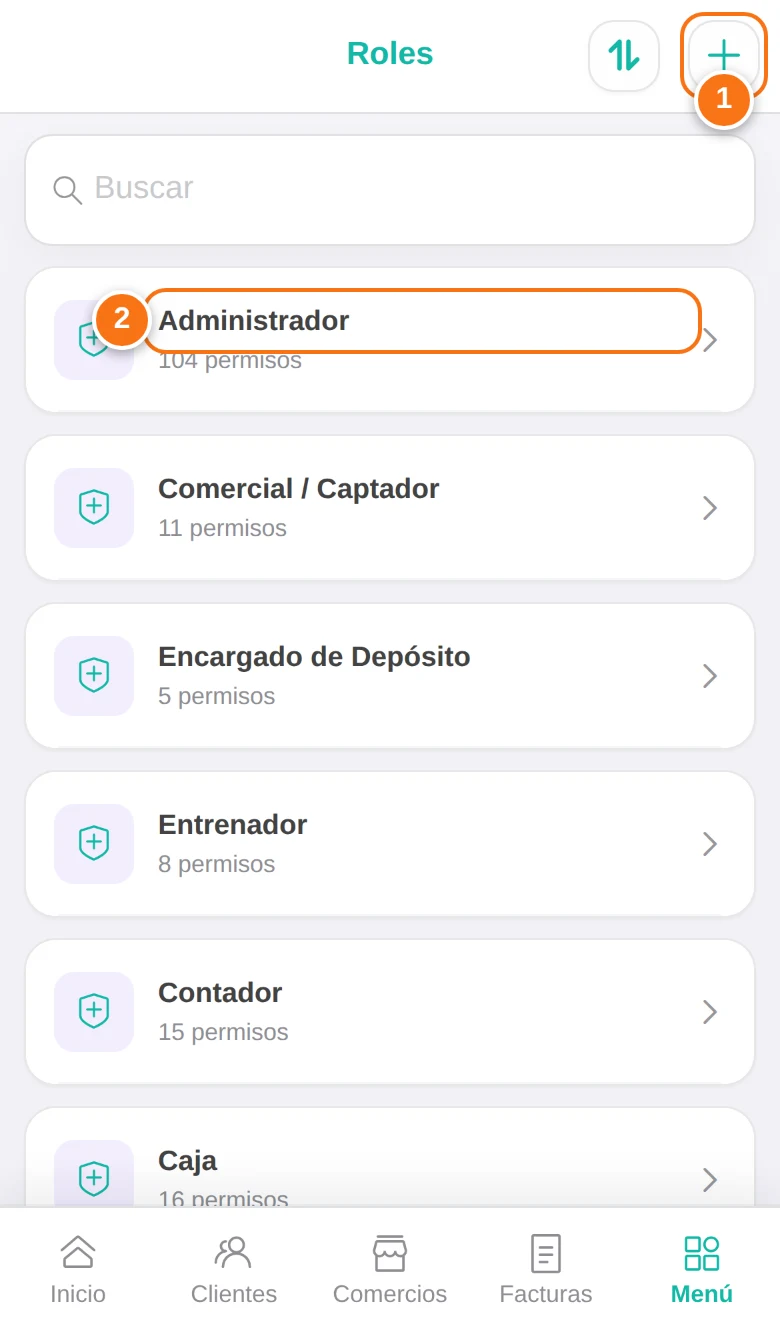
- New role.
- Role with the number of permissions it has.
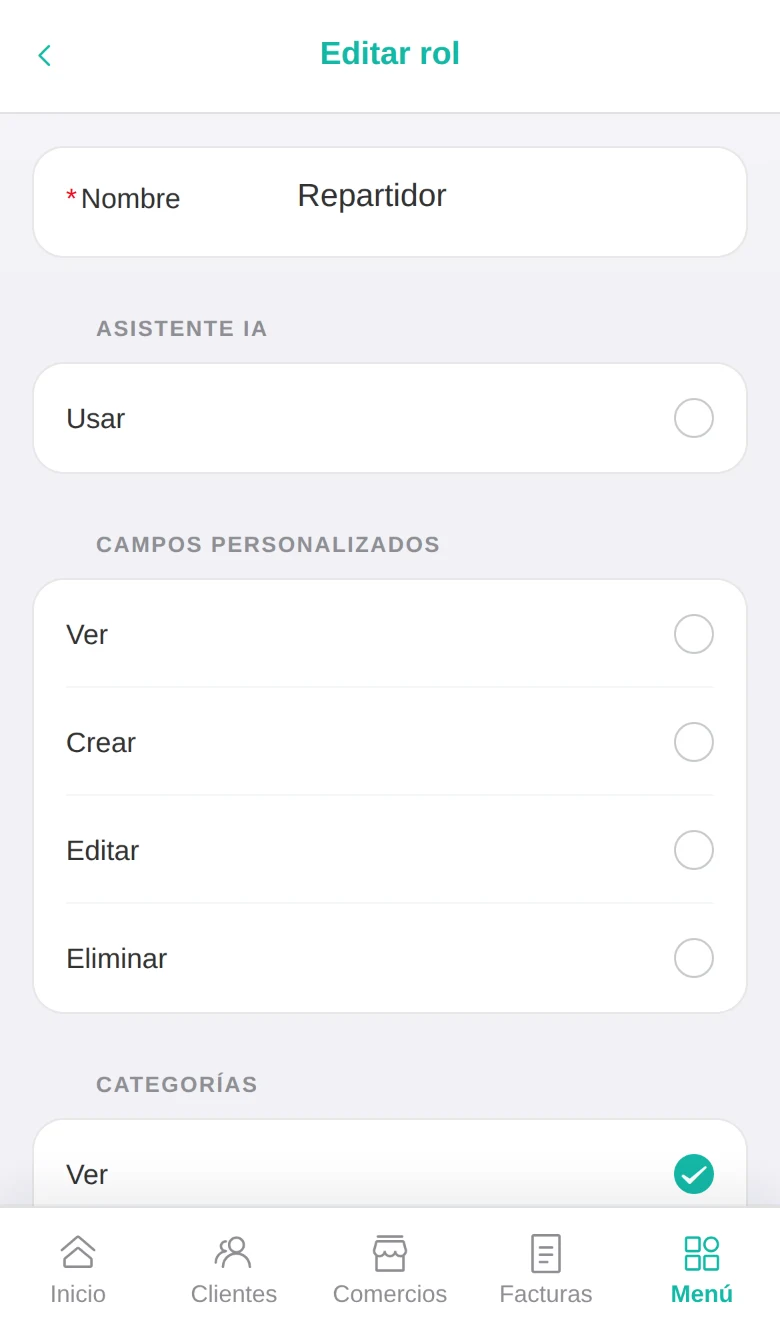
Example setups
You name the roles. These are common examples for a distributor:
- Administrator: full access to the app, reports and settings.
- Back office: manages stores, products, stock, routes, central invoicing, tax declaration and payment reconciliation.
- Route supervisor: sees routes, stock, invoices and collections for every driver, without touching users or sensitive settings.
- Driver: access to their daily route, clients/stores, products and recording their own invoices and payments.
- Sales rep / Pre-seller: creates stores, checks balances and prepares invoices according to their permissions.
- Cashier / Collections: records payments and sees all invoicing, without deleting or declaring documents.
- Accountant: sees all invoicing and declares documents, without running routes or stock.
Key permission for drivers
EzDIS includes the Invoices · View all permission (invoices.view_all).
- If the user has this permission, they see every invoice in the account.
- If the user doesn’t have it, they only see and work with the invoices they created themselves.
- Older or automatically generated invoices with no creating user stay visible to the Administrator or to roles with Invoices · View all.
For a driver, you would normally assign the Driver role without Invoices · View all. That way they can invoice and record payments on the route without seeing other drivers’ invoicing.
Managing permissions
Permissions are granular. You can set exactly which buttons each profile sees in Menu → Users or create profiles in Menu → Roles. For example, a driver can see a store’s balance without being able to cancel an invoice.
Suggested permissions for Driver:
- Clients · View / Create / Edit
- Companies and stores · View / Create / Edit
- Categories · View
- Products · View
- VAT types · View
- Exchange rates · View
- Invoices · View
- Invoices · Create
- Invoices · Edit
- Order templates · View
- Stock · View
Suggested permissions for Sales rep / Pre-seller:
- Clients · View / Create / Edit
- Companies and stores · View / Create / Edit
- Categories · View
- Products · View
- VAT types · View
- Exchange rates · View
- Invoices · View / Create
- Order templates · View / Create / Edit
- Stock · View
Suggested permissions for Route supervisor:
- Routes · View / Create / Edit / Delete
- Invoices · View / View all / Edit
- Clients, stores, products, categories and stock · View
- Statistics · View
Permissions best kept for the office or owners:
- Invoices · View all
- Invoices · Declare
- Invoices · Delete
- Users / Roles / Permissions
Good practices
- Safety on the road: limit deleting records for users out in the field, to avoid accidental data loss.
- Least privilege: grant only the permissions needed for the daily work.
- Tax declaration: keep the “Declare” permission for office staff who check the data before it is sent to DGI or ARCA.