Products
- On this page
- Product data
- Stock
- Taxes and fiscal data
- Versions, colors, sizes and measures
- Good practices
Products are the catalog items you sell, invoice and include in templates.
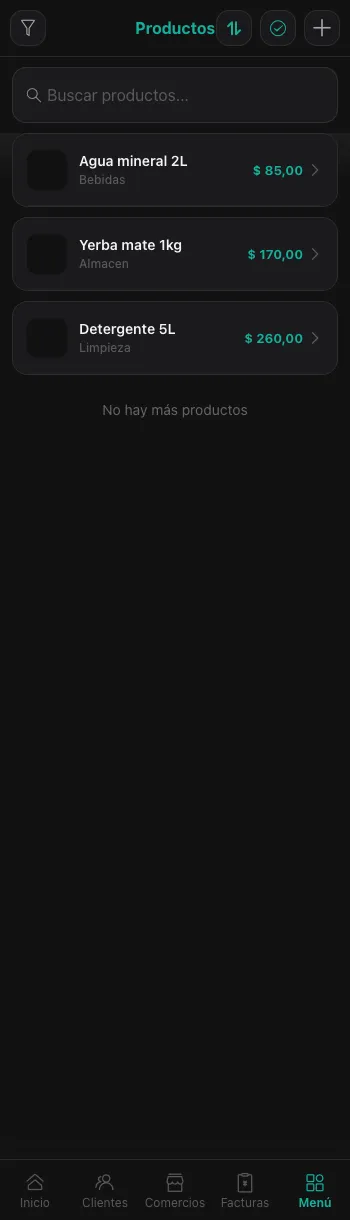
Product data
- name;
- category;
- price;
- currency;
- tax;
- stock;
- active/inactive status.
Stock
Products can work with stock control or infinite stock, depending on the business. Stock movements help track entries and exits when inventory control is active.
Taxes and fiscal data
Before declaring invoices, review the tax assigned to each product. In Argentina, taxes also need the ARCA code when the product is used in fiscal documents.
Versions, colors, sizes and measures
For a product to have variants (like colors or sizes) or be sold by measure (like kilos or liters), those attributes are defined first in its category under Menu → Categories (see Categories). In the category, under Product versions, tap Add what tells versions apart and check Tells versions apart.
When creating or editing a product under Menu → Products and selecting that category, the form automatically enables:
- Price based on this feature:
- numeric measure (Kilos, Liters, Meters): set the unit price (without and with VAT). When invoicing, enter the quantity and the total calculates automatically without creating fixed variants;
- dropdown list (Color, Size): set how much each option adds to the base product price.
- Product versions:
- Generate all combinations: automatically creates all variant combinations from available options with one click;
- + Add version: lets you add specific combinations manually;
- for each combination you can set its SKU, Initial stock (the form calculates and shows the total combined stock), toggle the version active or inactive, and set a Price without VAT (overrides product price) if that version needs an exact standalone price instead of base + additions.
{primary} Important: The category only defines which attributes exist; prices, stock and combinations are set on each product. For complete steps and examples (meat shop by kilo and t-shirt store by size/color), see Versions and sale by measure.
Good practices
- Use categories to keep the catalog easy to search.
- Review price and currency before building templates.
- Deactivate products you no longer sell instead of deleting historical data.