Clients
- On this page
- Find and organize clients
- Main data
- Create or edit a client
- Contact details and alerts
- When to use clients instead of stores
- Invoicing and collections
- Vehicles and work orders
- Good practices
- Latest communications
Clients are people or non-company customers that can receive invoices, payments and account balance tracking.
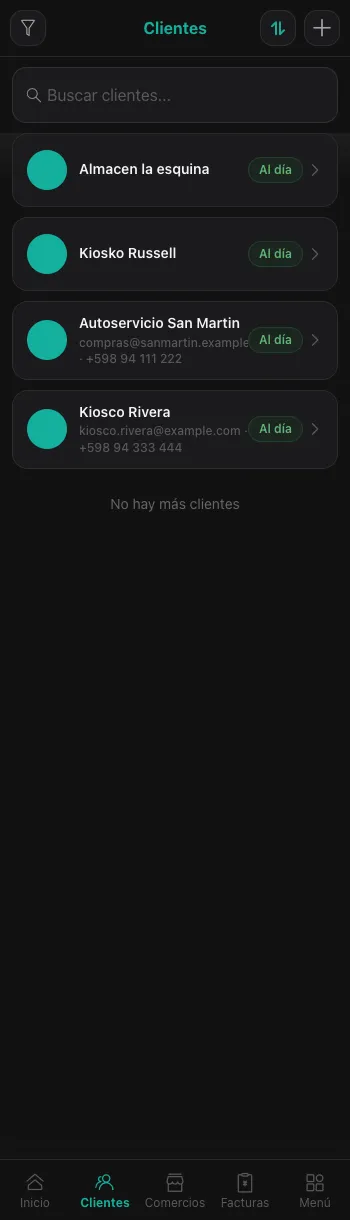
Find and organize clients
In the list, search by name, surname, document, email, or phone. Use Filters to show clients with a recorded next due date, including dates that have not passed yet; delinquent clients are those whose next due date has already passed. When you have access, you can also narrow the list by rate and additional fields, and sort it by the available fields.
Additional-field filters compare the complete stored value; partial text does not return a match.
To return to the full list, remove the active filters. If a search or filter combination has no results, use Clear search and filters.
Main data
- name;
- identity document, plus CUIT/CUIL when the account country is Argentina;
- phone;
- email;
- address;
- balance;
- credit balance;
- invoice and payment history.
When entering an address, choose the country first, then the department and city in that order. Each list is loaded from the previous selection.
Create or edit a client
- From the list, choose the action to register a client; to edit one, open the client record and select Edit.
- Enter at least the name and add the contact, address, or rate information you will use.
- When saving, correct any message shown next to its field. If the data is valid, the saved client record opens.
If additional fields cannot be saved, the basic client record is already saved, but you remain on the form. Review those fields and save again to retry before leaving.
If you leave a create or edit screen with unsaved changes, the application asks you to confirm that you want to discard them.
Contact details and alerts
To enable WhatsApp alerts, the client needs a phone number; to enable email alerts, the client needs an email address. Each option also depends on the corresponding channel being enabled in your account settings. If the channel is disabled, it cannot be enabled from the client record.
When to use clients instead of stores
Use clients when the buyer is a person or does not need the store/company workflow. Use stores when you need business data, tax ID, commercial address and route management focused on establishments.
Invoicing and collections
Clients can receive invoices and payments. If they overpay, the remaining amount can be stored as credit balance and applied later.
With client-view permission, you can review the 100 most recent balance movements. With client-update permission, you can also register a positive or negative manual adjustment with a reason; the resulting balance cannot be negative.
Vehicles and work orders
If your account uses vehicles, you can add them from the client record. With permission to view vehicles and create work orders, New order opens the form with the single associated vehicle already selected; when there are several, the selector only shows that client's vehicles. Available actions depend on your permissions.
Good practices
- Keep contact data complete before sending notices.
- Review the account balance before registering new payments.
- Use addresses when the client must be visited or delivered to.
Latest communications
On the profile, Latest communications shows every WhatsApp and email that was sent, with the exact text, the attachments and whether it was received and read. With Send message you write to them from there, with AI review and live tracking. See Latest communications and direct messages.