Categories
Categories group products by family or line of business.
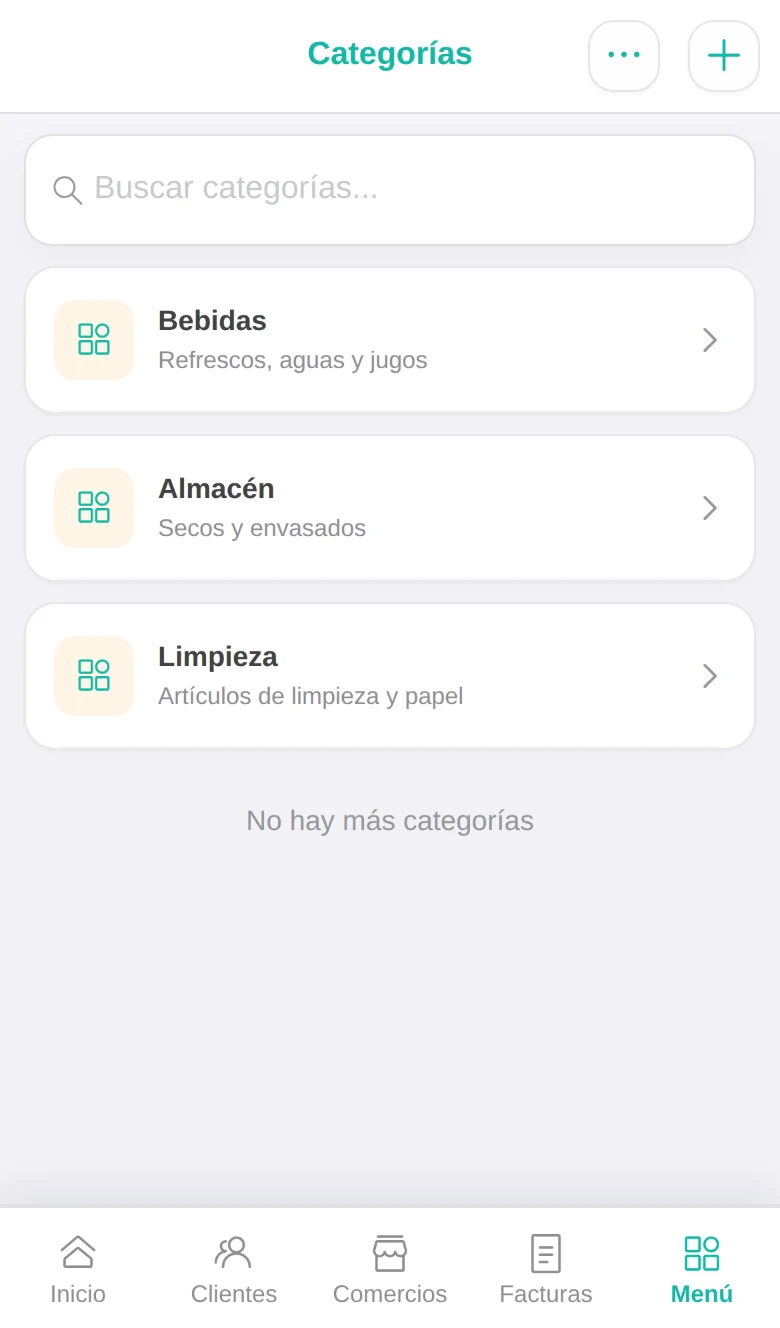
Examples:
- Drinks;
- Dairy;
- Cleaning;
- Groceries;
- Frozen;
- Promotions.
Category fields
A category has a name (required), a description (optional), a parent category (optional) and one or more child categories/subcategories (optional).
Versions and sale by measure
In the same category you also define the attributes that can tell its products apart: for example, Color and Size for T-shirts, or Kilos for a butcher shop. The category defines the value and its options, but the price is entered later on each product.
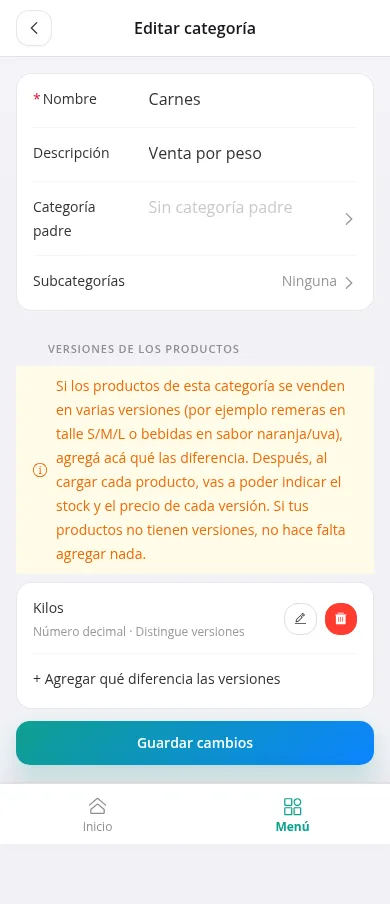
To learn what each field type means, when to use a dropdown list or a decimal number and how to calculate the price per kilo, see Versions and sale by measure.
What they’re for
- finding products faster;
- organizing the catalog;
- preparing templates;
- analyzing sales by family;
- avoiding duplicate products.
Extra features
Categories can have several levels. This lets you set up a hierarchy and organize the catalog better.
For example, say you run a food distribution business. You could organize the categories like this:
-
Drinks 1.1. Soft drinks 1.2. Juices 1.3. Water 1.4. Energy drinks
-
Dairy 2.1. Milk 2.2. Yogurt 2.3. Cheese
-
Groceries 3.1. Rice 3.2. Pasta 3.3. Flour 3.4. Canned goods
-
Cleaning 4.1. Household cleaning 4.2. Laundry 4.3. Personal hygiene
That way, a product like Coca-Cola 2.25 L could belong to Drinks → Soft drinks, while 1 L whole milk could go under Dairy → Milk.
The number of levels depends on how you want to organize your catalog. For small catalogs, one or two levels are usually enough. In larger catalogs, subcategories help find products quickly without creating lots of top-level categories.
To set up these levels, use the “parent category” and “subcategories” fields mentioned above. In the example above, Soft drinks has Drinks as its parent category. Drinks has no parent category (it’s a top-level category) but it does have child categories: Soft drinks, Juices, Water and Energy drinks.
Recommendation
Create only a few categories at first. If you start with too many, the catalog gets harder to maintain. Add subcategories only when they really help tell groups of products apart.