# Dashboard
---
The dashboard sums up the state of the business in EzDIS so you can start the day focused.
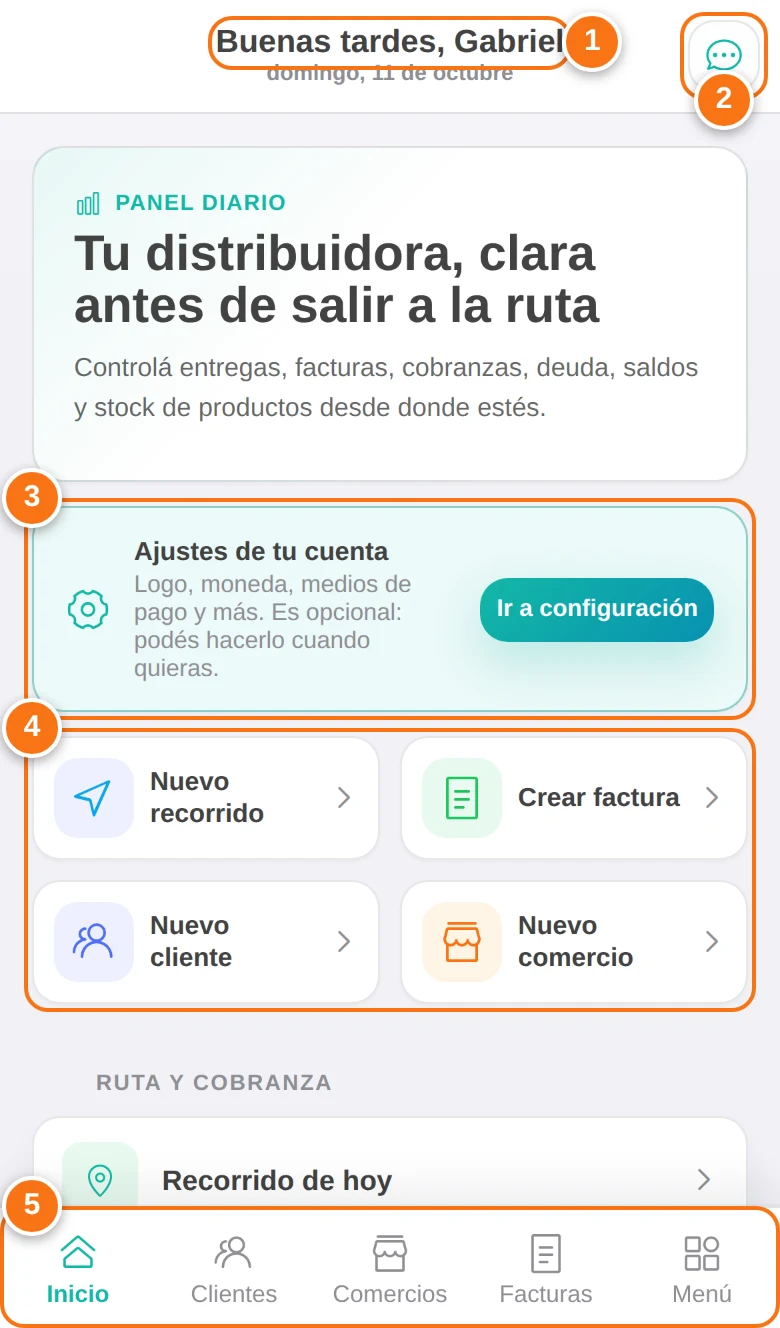
- Greeting with today’s date.
- AI assistant: opens the chat to ask about clients, invoices or reports.
- Account settings: takes you to the settings (logo, currency, payment methods). It’s optional and you can do it whenever you like.
- Shortcuts: new route, create invoice, new client and new store, among others.
- Bottom bar: Home, Clients, Stores, Invoices and Menu, always at hand.
## Quick actions
- **My route**: direct access to the route assigned for today.
- **New invoice**: quickly enter a new document.
- **New client**: register a client fast.
- **To collect**: list of invoices with an outstanding balance.
- **Clients with debt**: list of clients with an upcoming due date on record, even if it hasn’t passed yet.
## Route and collections
This block lets you quickly see:
- **Today’s route**: your route sheet with ordered stops.
- **Invoices to collect**: documents not yet settled.
- **Clients with debt**: who has an upcoming due date on record, even if it isn’t overdue yet.
- **Upcoming collections**: nearby due dates in chronological order.
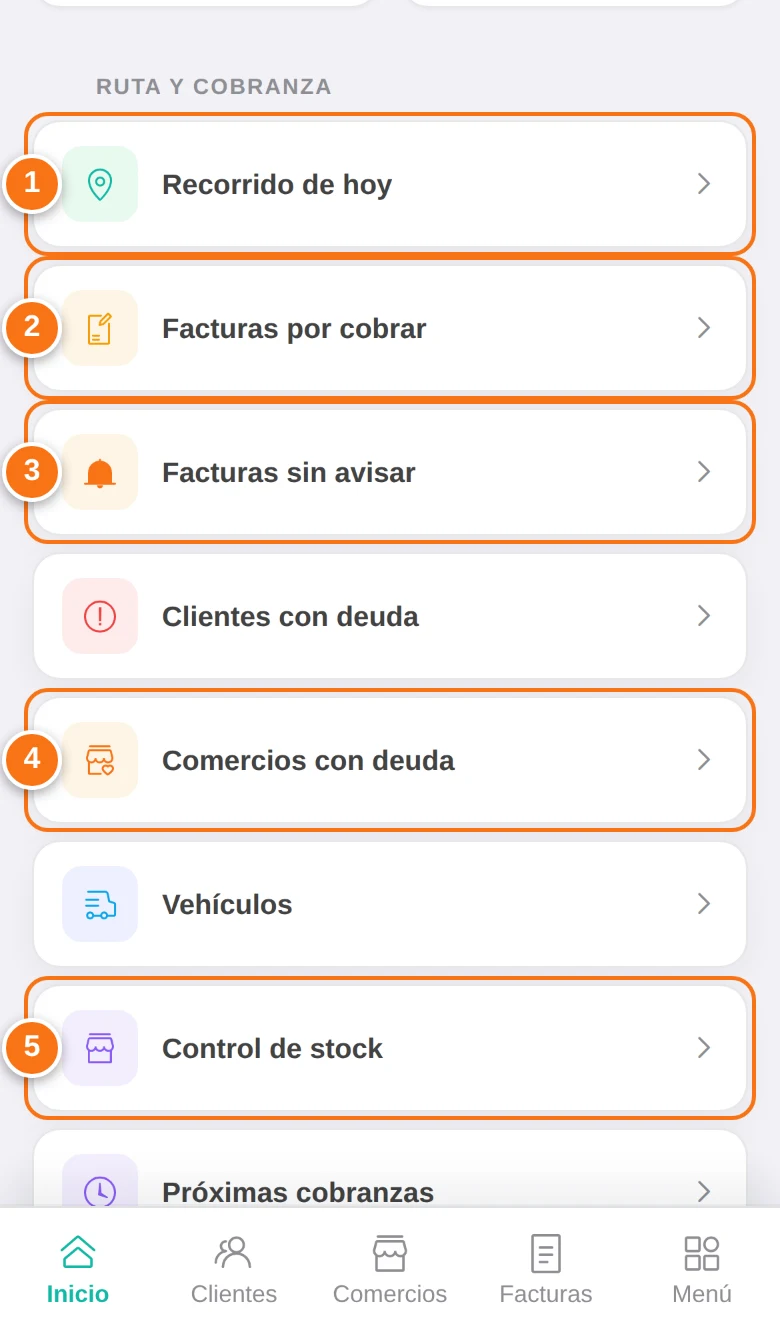
- Today’s route: opens your route for the day.
- Invoices to collect.
- Invoices not notified: invoices whose notice to the client hasn’t gone out yet.
- Stores with debt.
- Stock control: products running low.
## Statistics and charts
The dashboard includes key indicators (KPIs) and trend charts:
- **Invoicing and collections**: a visual comparison of what was issued versus what was collected.
- **Debt and pending items**: summary of balances, pending invoices, and clients and stores with debt.
- **Sign-ups and catalog**: how clients, companies, products and rates evolve based on the data entered.
## Recommendation
Record payments as close as possible to when they actually happen. That way the dashboard indicators better reflect the business’s financial situation.